
Circuits Kit (Recommended for Ages 11+)
Learn how simple circuits work and how code can control them. The early projects stay small on purpose, so you can get used to the parts, the breadboard, and the feeling of testing things as you build.
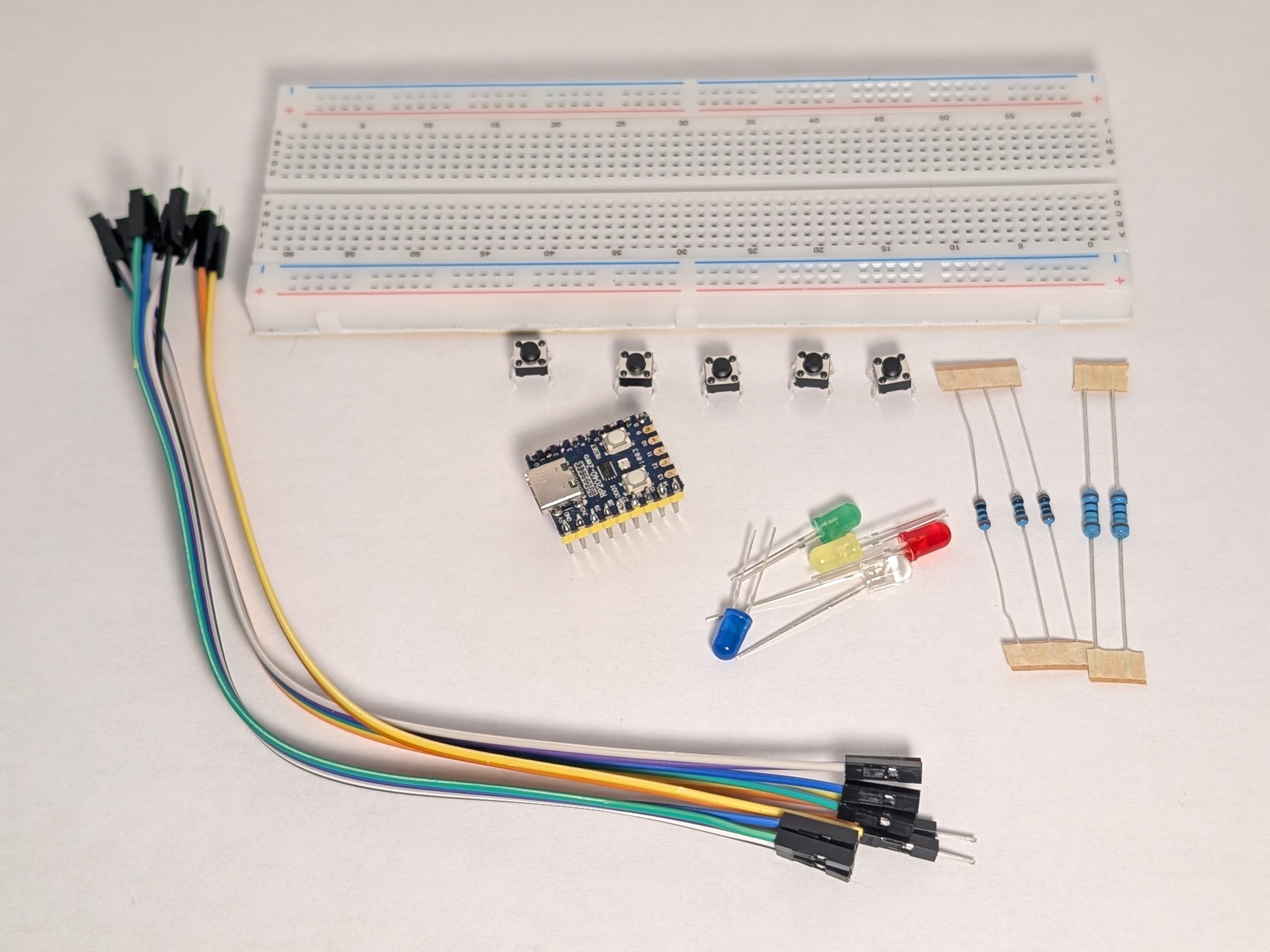
What's in the box
- 1 RP2040-Zero board
- 1 breadboard
- jumper wires
- LEDs
- 1 red
- 1 yellow
- 1 green
- 1 blue
- 1 white
- resistors
- 2 x 150 ohm
- 3 x 100 ohm
- 5 pushbuttons
What else you may need
- A USB cable that fits the RP2040-Zero
- A computer for programming
- A little patience while you test and fix mistakes
Pick a coding path
If you are deciding how you want to code, start here:
For the main FreedomSTEM lessons, Thonny + MicroPython is the best fit.
How to use these pages
If this is your first time with the kit, this order works well:
- Electricity
- Coding
- Choose Your Coding Path
- Set Up Thonny or Set Up Arduino IDE
- Meet Your Kit
- Safety and Help
- Circuit #1: Simple LED
If you already know your way around a breadboard and can set up your IDE, you can jump straight to the numbered circuit pages.
Circuit path
- 1: Simple LED
- 2: LED with Button
- 3: Two Buttons OR
- 4: Two Buttons AND
- 5: Blink with Code
- 6: PWM Fade
- 7: LED Chase
- 8: Smooth Chase with PWM
- 9: Traffic Light
- 10: Color Picker
- 11: Reaction Timer
- 12: What Next?
What you will learn
By the time you work through these activities, you will have practiced:
- building a circuit on a breadboard
- using a resistor to protect an LED
- reading a button press
- writing simple Python code
- using inputs and outputs together
- testing and fixing problems when a circuit does not work the first time