
7: LED Chase
This project makes three LEDs turn on one after another, like a moving light.
This is a simple animation made from very simple outputs. You will control multiple LEDs by turning them on and off in order with a loop.
Coding ideas you will use:
- a list of GPIO pin objects so you can treat “three LEDs” as one thing
- a loop inside a loop (
while True+for led in leds) to repeat the pattern forever - a timing variable (
delay) to control the speed
Learn more (optional):
Goal
Create a chase animation across three LEDs.
Parts you need
- 3 LEDs
- 3 resistors
- jumper wires
- breadboard
- RP2040-Zero
Important: choose the right resistor
Your kit has 150Ω and 100Ω resistors.
- For a red or yellow LED, use 150Ω
- For a green, blue, or white LED, use 100Ω
Using the wrong resistor can damage an LED.
Wiring idea
Build it first, then compare your setup to the picture. Did you connect each part to the pin you meant to use?
Connect each LED to its own GPIO pin. Each LED should have its own resistor and its own path back to GND.
Example pins: GP6 (GPIO 6), GP7 (GPIO 7), and GP8 (GPIO 8).
- Build the circuit from
5: Blink with Codeand6: PWM Fadeas a starting point, usingGP6 (GPIO 6)for the first LED.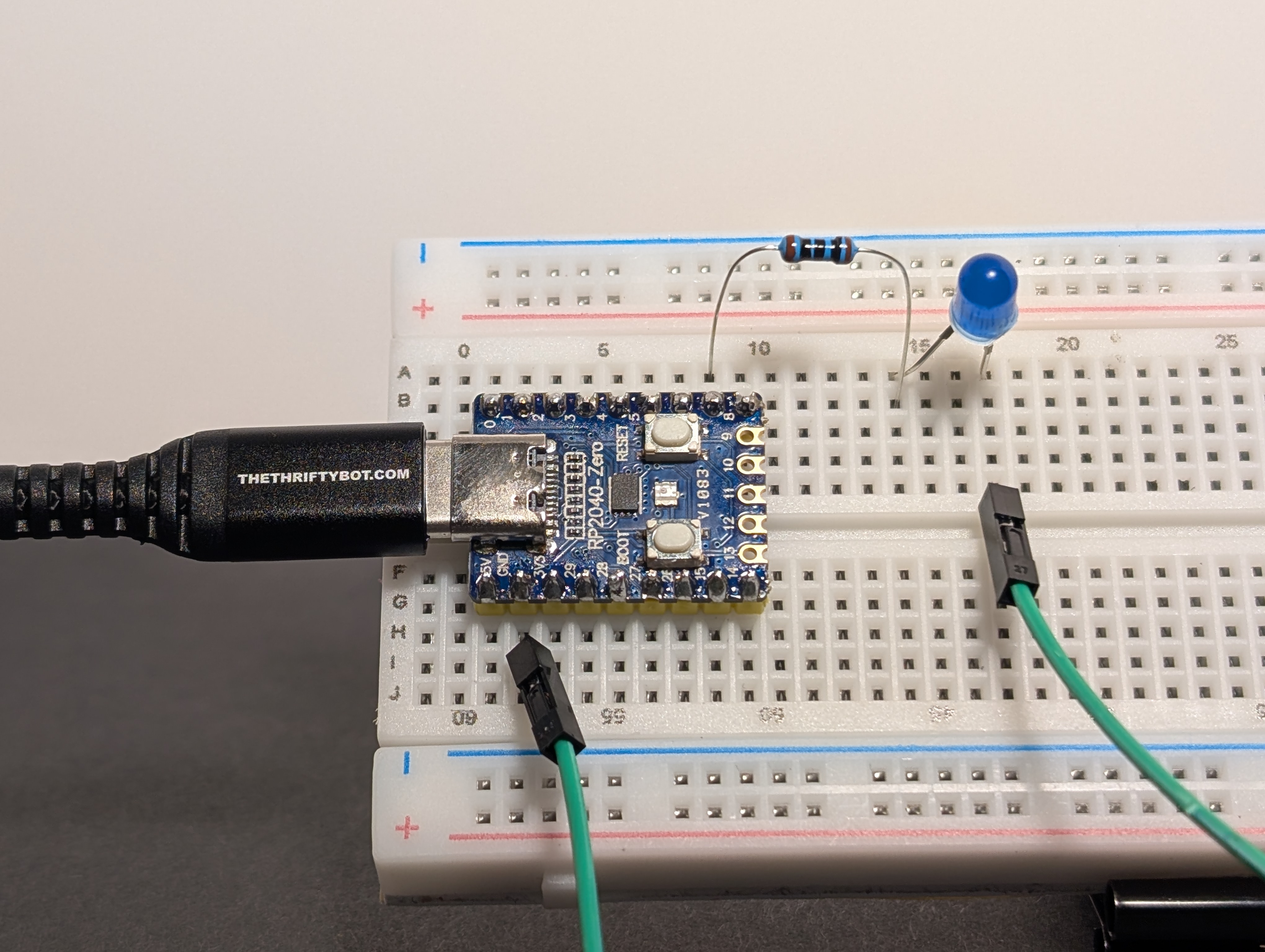
- Add two more LEDs to the breadboard.
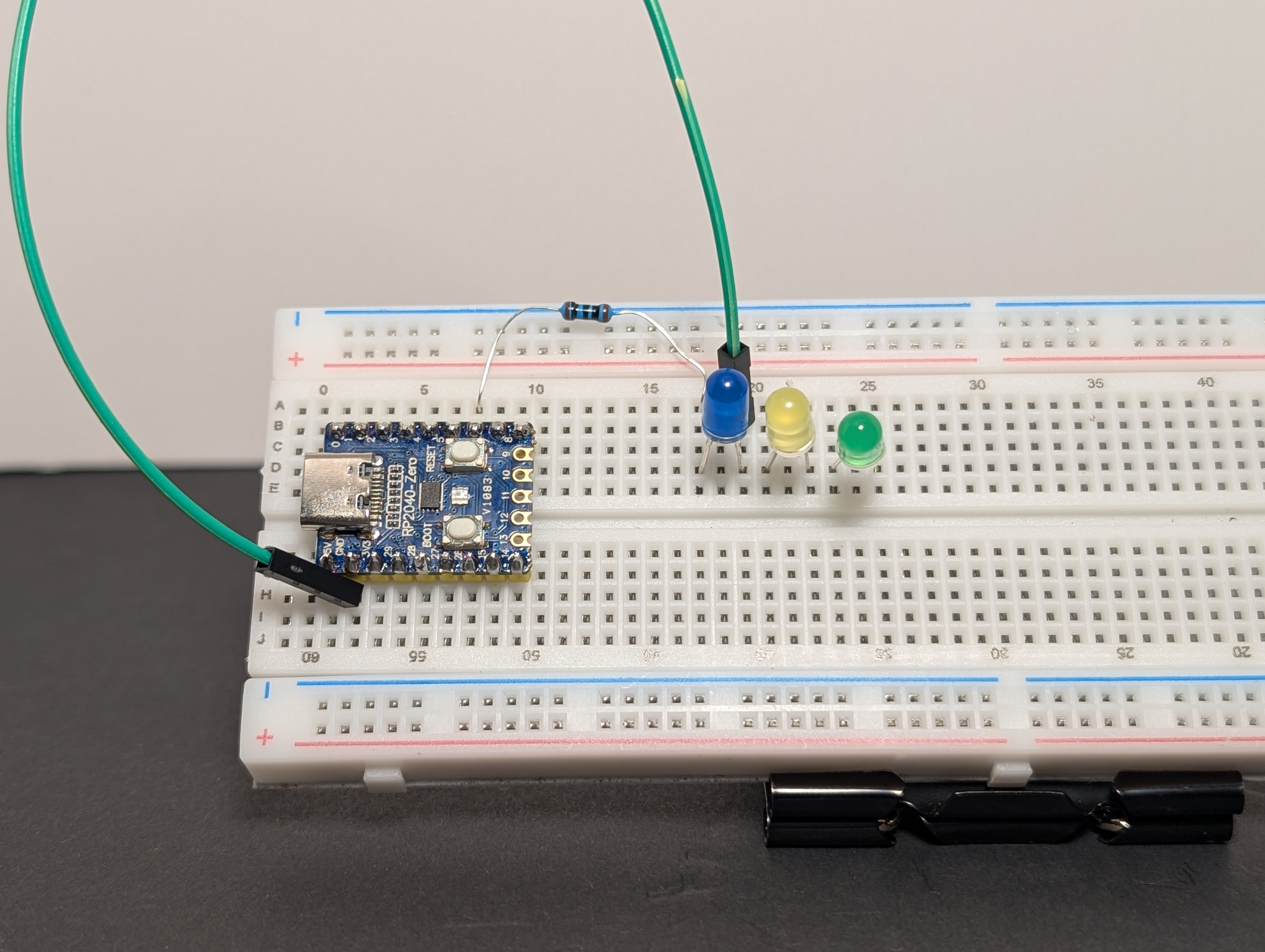
- Connect the long leg (
+) of the second LED toGP7 (GPIO 7), and the short leg (-) toGND.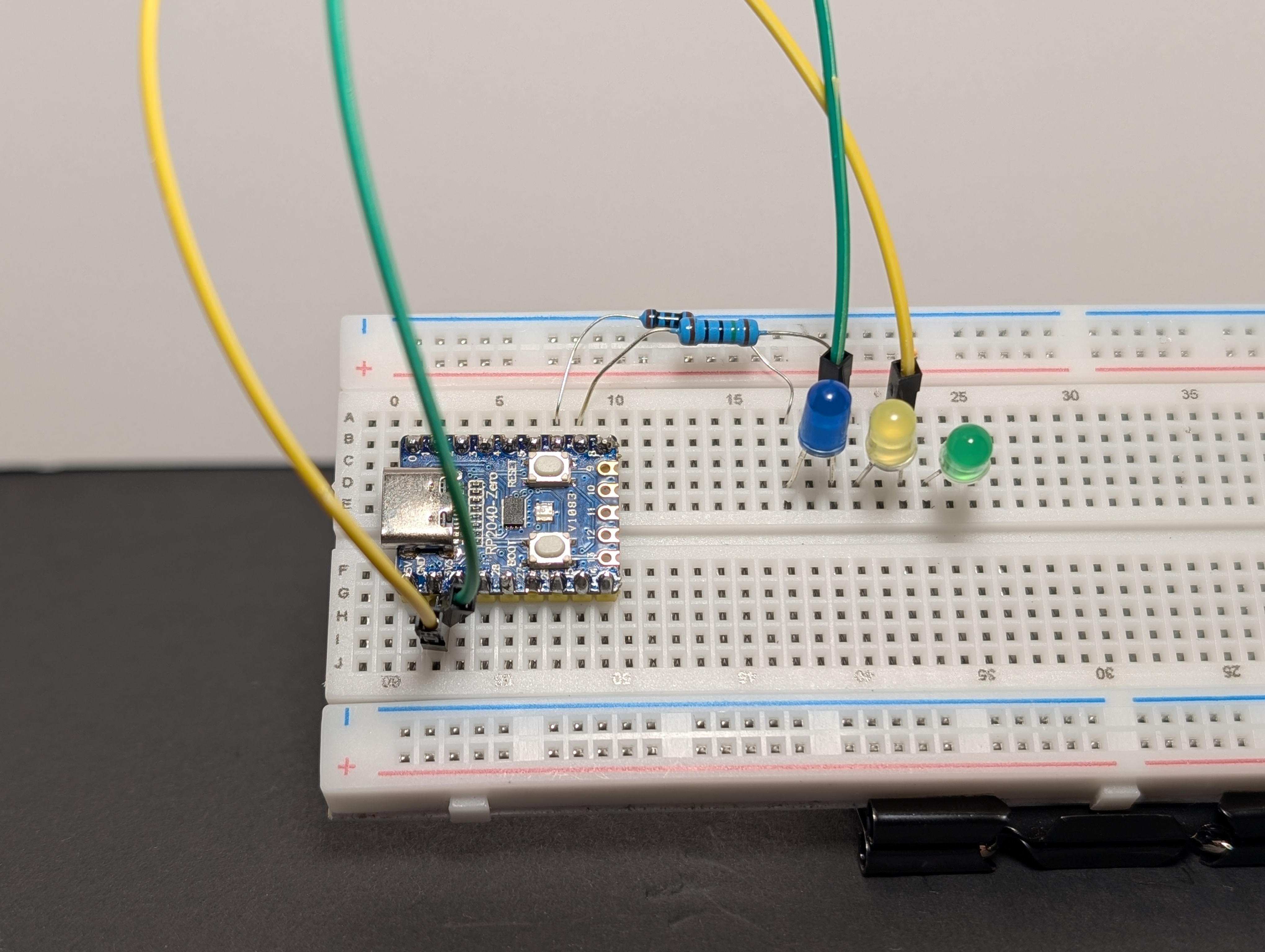
- Connect the long leg (
+) of the final LED toGP8 (GPIO 8), and the short leg (-) toGND.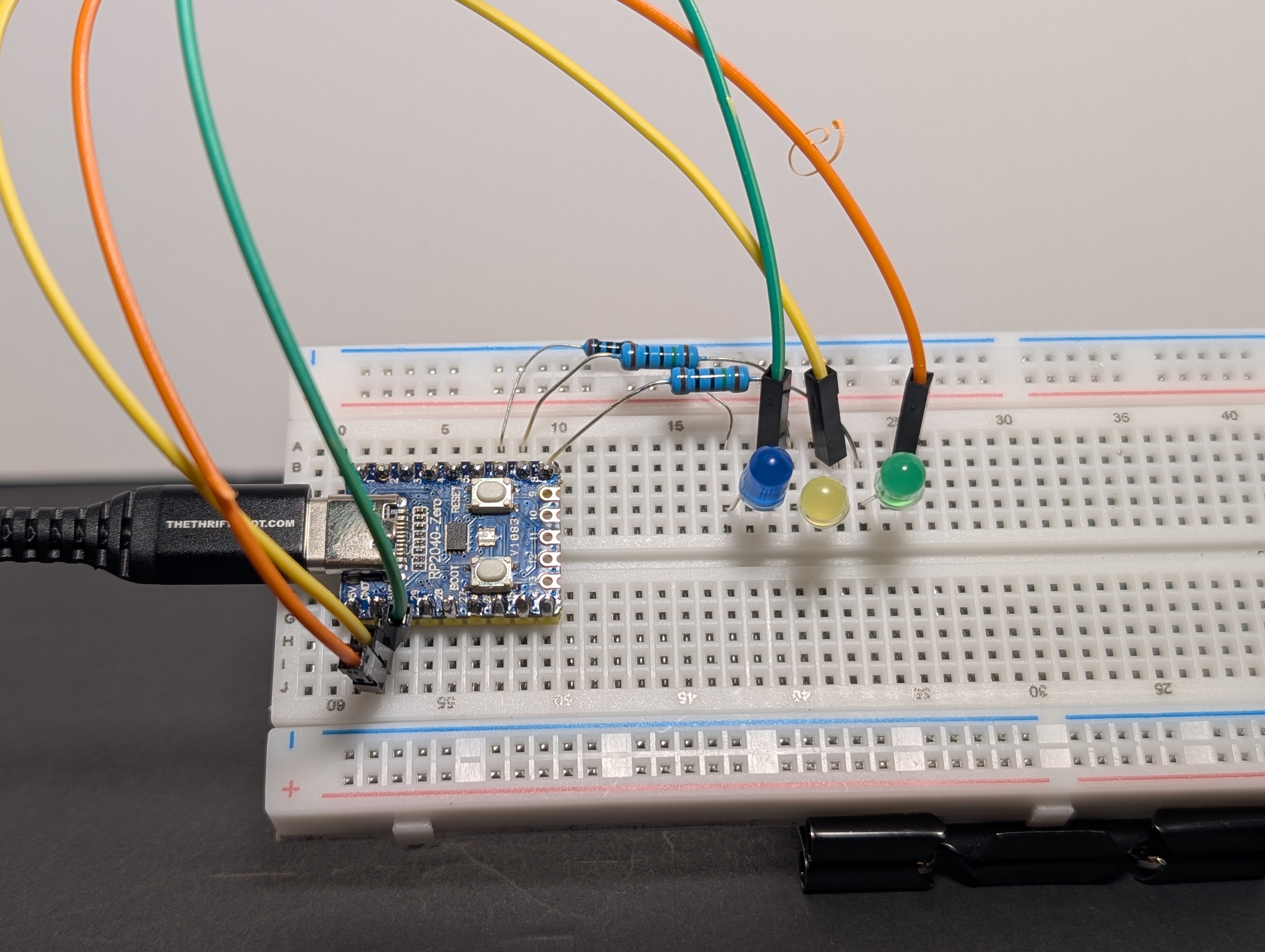
Code
Pin reminder
Wired your LEDs to different GPIO pins? Update LED_GPIOS in the code below to match your wiring.
import machine
import time

# Choose the GPIO pins your LEDs are connected to.
LED_GPIOS = [6, 7, 8]

leds = [machine.Pin(gpio, machine.Pin.OUT) for gpio in LED_GPIOS]

# --- ADJUST THIS FOR SPEED ---
delay = 0.5  # Half a second per jump
# -----------------------------

print("Jumpy block chase starting...")

while True:
    for led in leds:
        # 1. Turn the current LED ON
        led.value(1)

        # 2. Wait so we can see it
        time.sleep(delay)

        # 3. Turn the current LED OFF before moving to the next
        led.value(0)
Arduino Code Coming Soon
What to notice
- Only one LED is on at a time
- The timing between each step makes the motion feel faster or slower
- This is a simple animation made from very basic output control
Try this
- Reverse the direction
- Speed it up
- Pause longer on the last LED before the pattern starts again